
Scrapbook PowerPoint template: build a reusable slide
Set the slide size before placing a single photo: 16:9 for a book read on screen, or a custom size matching your paper for print. Build one page, duplicate it, then export a PDF.
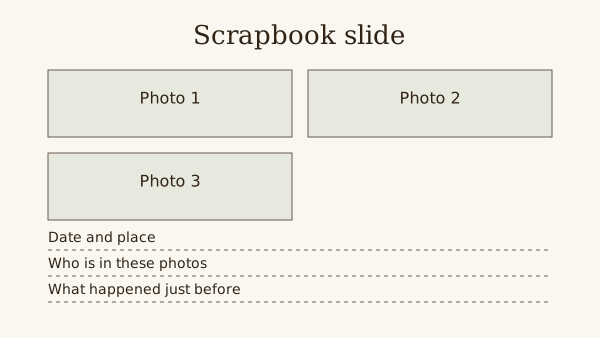
Use the free 16:9 SVG below as a layout reference. It is not a .pptx or .potx file: recreate its boxes as PowerPoint shapes to make them editable.
Decide the page shape first. Resizing later makes PowerPoint ask whether to scale every photo and text box you have already placed up or down.
Fill the pages online instead
Drop your photos onto editable pages and download a PDF.
Choose the slide size for where it will be read
Microsoft gives Widescreen as 13.333 by 7.5 inches. It suits a book read on a laptop or a television. For paper, open Design, Slide Size, Custom Slide Size and type the sheet's measurements.
Google Slides keeps the setting under File, Page setup. It offers Standard 4:3, Widescreen 16:9, Widescreen 16:10 or Custom, in inches, centimetres, points or pixels.
Microsoft also says every slide in one PowerPoint file has the same orientation. If you want portrait and landscape pages, keep them in two files.
What 16:9 does on A4 paper
A4 is 29.7 by 21 cm. Stretch a 16:9 slide across that width and it is about 16.7 cm tall, so roughly 4.3 cm of each sheet prints blank.
That band is fine for a book that mostly lives on screen. For a book you mean to print and bind, set a custom size of 29.7 by 21 cm before page one.
Build one page and copy it
Draw the photo boxes, a title and the writing lines on a single slide. Duplicate that slide for every page so the boxes sit in the same place throughout.
Crop each photo to the shape of its box before it replaces the rectangle. Edges then line up from one page to the next without nudging.
- Pick one font for titles and one for your own writing.
- Set text large enough to read on the smallest screen it will meet.
- Leave the last slide as the blank master for later pages.
Keep the file small enough to send
Full-size phone photos add up quickly. Make resized copies for the slides and keep the originals in a folder of their own, outside the presentation.
Save a dated copy of the file before rearranging many slides. Undoing a large reorder by hand is slow.
Export the finished pages as a PDF
In PowerPoint on Windows, choose File, Export, Create PDF/XPS Document. Microsoft says Optimize for Standard is for higher quality, such as printing, and Minimum size makes a smaller file to email.
Microsoft lists hidden slides among the PDF Options. Check that setting if you keep spare pages hidden. In Google Slides, File then Download lets you choose a file type.
Inserting the SVG as one picture does not create separate photo placeholders. Draw rectangles and text boxes over the reference, then remove the reference before filling the slide.
Keep a blank editable slide in a separate copy of the presentation. A PDF is the reading copy; it does not replace the file you need for later edits.
Steps
Set the size
Open a blank presentation and set 16:9 for screen reading or a custom size equal to your paper. Do this before anything else goes on a slide.
Draw the master slide
Place three grey rectangles where photos go, a title box at the top and lines for date, place and names below. Delete the default placeholders.
Fill pages in story order
Duplicate the master, swap each rectangle for a cropped photo and type your own words. Use the slide sorter to check the order every ten pages.
Export and open the PDF
Export at the higher-quality setting, open the PDF on another device and read every page. Fix spelling and cut-off text in the presentation, then export again.
Questions
Can I print a 16:9 scrapbook on A4?
Yes, with a blank band of about 4.3 cm on each sheet. To fill the paper, set a custom slide size of 29.7 by 21 cm before you start.
Can one PowerPoint scrapbook mix portrait and landscape pages?
Microsoft says all slides in a presentation share one orientation. Make a second file for pages in the other orientation and combine the PDFs afterwards.
Is the download an editable PowerPoint file?
The download is an SVG layout guide. Rebuild its boxes with PowerPoint shapes and text boxes, then save your own editable presentation.