
Photo magazine templates: choose a page layout
A photo magazine template should give pictures a clear order and leave room for your writing. Use one main image, a paired spread or a small grid to suit the photos you already have.
The free book has up to 40 pages. Free exports carry a small tbf scrapbook card.
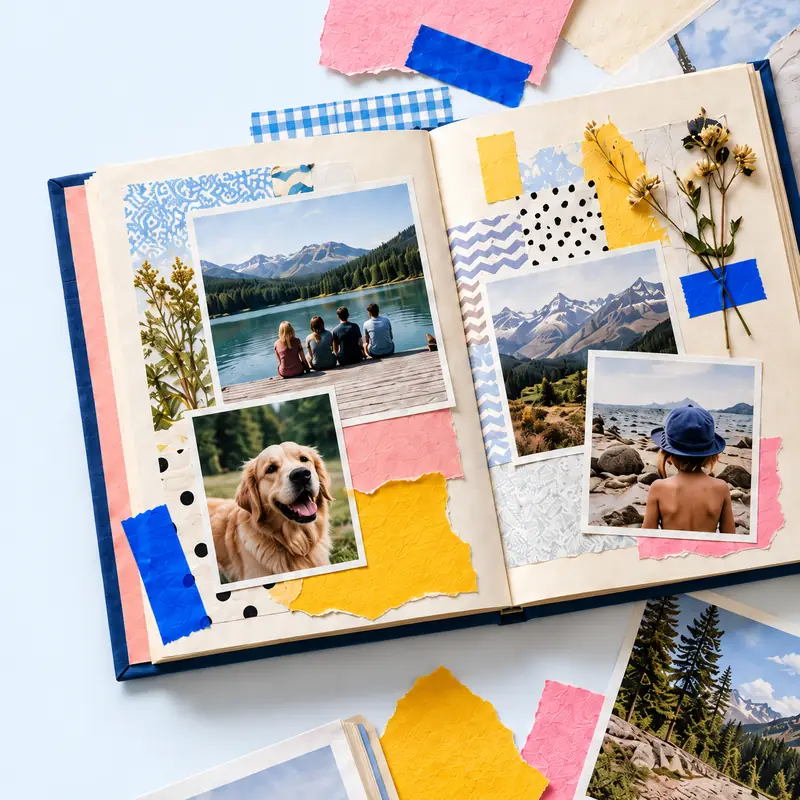
Start with your photographs, then choose the arrangement. A template that needs four landscape images will be awkward if your best pictures are all portraits.
The table below is a layout plan to recreate in an editor, not a downloadable magazine file. Keep margins and type sizes consistent as you build the pages.
See also: Make a complete digital photo magazine, Check an AI-generated layout, Browse editable book templates.
Build your photo magazine pages
Start with editable pages, place your photos and adjust each crop. Add your own titles and captions.
The free book has up to 40 pages. Free exports carry a small tbf scrapbook card. Plans and prices.
| Page type | Photo arrangement | Space for writing |
|---|---|---|
| Cover | One strong image with a quiet area | Title clear of faces and the main subject |
| Section opener | One large picture, with an optional small detail | Section name and a short introduction you write |
| Paired spread | Two related images, one on each page | A shared caption area or one label per picture |
| Photo sequence | Three or four images in action order | Small factual labels below the sequence |
| Contact sheet | A grid of small related images | One heading and only the labels the reader needs |
How do I make my photos look like a magazine?
Alternate large images with smaller sequences. Keep the same page margins and line up photo edges so the reader can see which pictures belong together.
Use the strongest picture at the beginning of a section. A grid works for a collection of details; it can make a group portrait too small to read.
Leave some areas empty. If every photograph is equally large and every gap has a label, the page has no clear starting point.
How do I choose a photo for the cover?
Try the image with the proposed title area before committing to it. Keep faces and important objects away from the lettering and page edges.
A busy photograph can work inside the magazine even when it makes a difficult cover. Choose a quieter crop or place the title on plain paper beside the picture.
What changes when readers use a phone?
Check one page at a time on a narrow screen. A spread that depends on seeing both pages together can be difficult to follow on a phone.
Use short blocks of your own writing and keep labels beside the image they describe. If a reader must zoom just to understand the page, reduce the number of elements.
Keep a portrait and a landscape image at their natural proportions where possible. Do not cut out a person merely to fill an identical box.
Can I use a scrapbook template for a magazine?
Yes. Start with editable photo areas and remove decoration you do not need. Repeat a small set of layouts across the issue instead of changing the style on every page.
tbf scrapbook has whole-book templates and an editable page canvas. Use a template as a starting point and arrange your photos and writing into the magazine layout you want.
These layout suggestions do not promise a printer-ready magazine file. A printer may require bleed, safe areas and a particular binding specification.
Steps
Sort photos by shape
Separate portraits, landscapes and small details. Mark the images that need to stay large.
Try three page types
Build one large-image page, one paired arrangement and one small sequence with your own photos.
Repeat the working layouts
Reuse the arrangements that suit the pictures. Keep the title style and margins steady across the issue.
Preview before exporting
Read a page on a phone, then the spread on a larger screen. Check crops and caption placement in the exported file.
Questions
How many photos should I put on a magazine page?
Start with one main picture or two to four related smaller images. Use more only when details remain readable. The right count depends on the page size and where people will read it.
Should a photo magazine be portrait or landscape?
Portrait suits single-page reading and many phone screens. Landscape can suit wide photos. Test your chosen layout with real pictures before making the whole magazine.
Can I print the same layout I share online?
Often, but review a separate print proof. Confirm page size, image resolution, bleed and binding with the printer. Screens and paper do not always show colours or small text the same way.