
Digital photo magazine: make one from your photos
A digital photo magazine presents your pictures as designed pages, with a cover and a reading order. Make it in an editable page tool, then share an online version or download a PDF.
Free reading is watermarked. Free PDF pages include a small tbf scrapbook card.
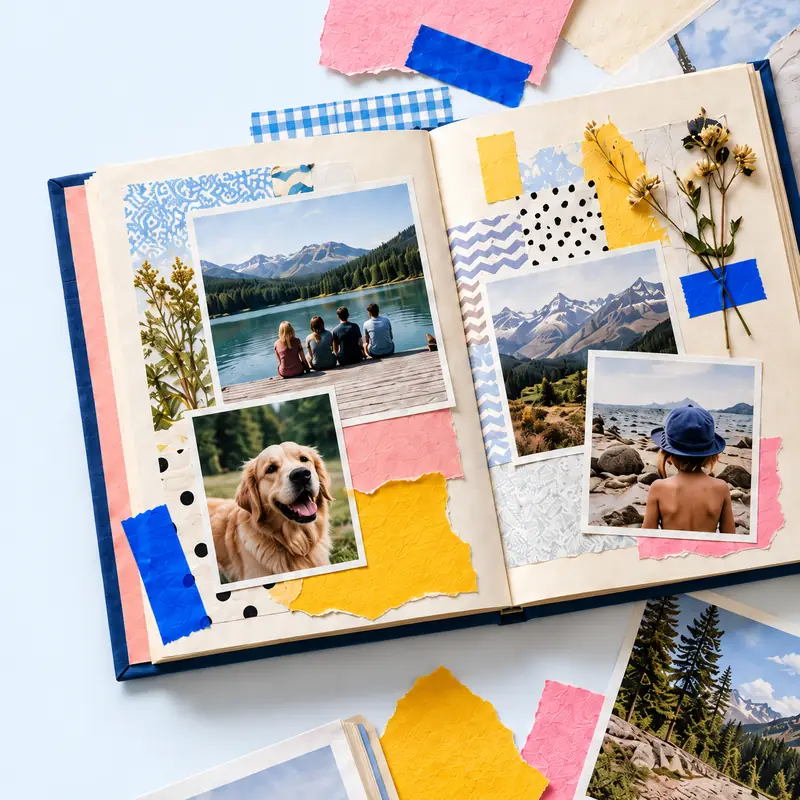
This guide is about making a magazine from your own photographs. A trip, a family year or a photography project can each become a single issue.
Choose the reading format first. A web edition can include playable clips; a PDF keeps still pages in one file. A folder of photos does not preserve a magazine layout.
See also: Choose a photo magazine layout, What to check in an AI magazine maker, Open the page editor, See finished example books.
Make your magazine-style scrapbook
Arrange photos and your own writing on editable pages. Share the finished book online or download a PDF.
Free reading is watermarked. Free PDF pages include a small tbf scrapbook card. Plans and prices.
| Format | Use it for | Check before sharing |
|---|---|---|
| Online edition | Reading pages through a link, with video or audio where supported | Who can open the link and how long hosting lasts |
| Keeping a copy and reading still pages without the website | File size, text size and page order | |
| Page pictures | Sending a few individual pages | The reader must open them in the right order |
| Printed book | A physical copy of the same photos and writing | Binding, paper, page size and a print proof |
How do I turn my photos into a digital magazine?
Choose one subject, gather the original photo files and remove near-duplicates. Group the remaining images into short sections before designing the cover.
Give each section an opening photo. Follow it with smaller details and people, then finish with a different view. Write names, places and dates you know beside the pictures.
Keep photos and writing editable until you finish checking the pages. Exporting early as page images makes later corrections harder.
Can I make a digital photo magazine in tbf scrapbook?
tbf scrapbook lets you arrange photos and your own words on editable pages in a browser. You can use these pages for a magazine-style photo collection, then share the book by link or export a PDF.
It also supports videos, voice notes and scanned keepsakes. Keep a ticket or a map beside the photos from that part of a trip, rather than filling every page with decoration.
What should a first photo magazine include?
Try a cover, an opening spread, two or three short sections and a closing page. A contents page helps a longer issue; a small personal magazine may not need one.
For a 12-page digital edition, reserving two pages for the cover and ending leaves ten photo pages. At two photos a page, that is about twenty pictures, with room for your own writing.
An online edition does not require the folded-sheet page counts a printed magazine may need. If printing is the goal, get the printer's specification before setting up the pages.
How do I share a digital magazine with family?
Create a reading link for the finished book and check it in a signed-out browser before sending it. Use a contributor invitation separately if you want someone to send material for your review.
Assume a recipient can forward a shared link. Review personal details and photo permissions before sharing; keep a downloaded copy if you also want to read without the hosted site.
Steps
Pick the subject and format
Choose one trip, year or project. Decide whether readers need an online edition, a downloadable PDF or both.
Gather full-size originals
Put your selected photos in one folder. Include the clips and scanned keepsakes that belong with them.
Build a reading sequence
Make a cover and short sections. Place the main images first, then details and your own writing.
Check the reader's version
Open the sharing link while signed out and inspect the downloaded PDF on a phone. Check missing pictures, small text and the final page.
Questions
Can I make a digital photo magazine for free?
The free tbf scrapbook plan includes one book of up to 40 pages. Online reading and sharing are watermarked; PDF and page pictures carry a small tbf scrapbook card on each page.
Can a digital photo magazine include video and music?
An online edition can play supported video and audio. tbf scrapbook supports video and voice notes. A printed page or a still-page PDF cannot play them; use audio you have permission to share.
Can I use photos from my phone?
Yes. Use the original files, check the crop and keep small copies away from full-page layouts. Preview the finished pages on a phone as well as a larger screen.