
Printable scrapbook pages: paper, margins and a free page
Choose the paper size and printable area first. Use paper approved for your printer, print one test at the intended scale, then measure the photo boxes before printing a batch.
A home printer handles most scrapbook pages if three things are right: a paper weight it accepts, a margin it can print inside, and the right scaling in the print dialogue.
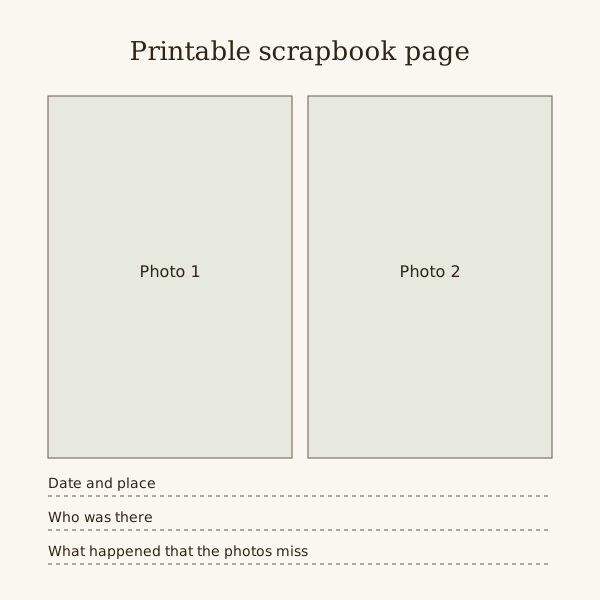
The square SVG below has two photo spaces and three writing lines. Fitting it to a rectangular sheet leaves spare paper; trimming and binding need their own margins.
Fill the pages online instead
Drop your photos onto editable pages and download a PDF.
| Check | Test | If it fails |
|---|---|---|
| Page shape | Fit the square SVG on one plain sheet | Keep the blank bands or trim; do not stretch the square |
| Box size | Measure a printed box with a ruler | Change the scale before ordering photos |
| Binding | Mark the holes or hinge on the test | Move photos and writing clear of that strip |
| Double sided | Mark a test sheet and feed it twice | Change direction or print single sided |
| Media | Print on one sheet of the final stock | Choose an approved tray or lighter paper |
Paper weight
Use plain paper to check positions. Choose the final paper from the weights and media types approved in your printer manual.
Gsm measures weight per area, not thickness or stiffness. Two papers with the same gsm can feed differently, so test the exact stock.
Check tray, media type and duplex limits separately. Permission to feed heavy paper once does not mean it is approved for automatic two-sided printing.
Margins and page size
Without borderless printing, a home printer leaves a thin unprinted strip around the sheet. Keep titles, faces and writing at least 10 mm in.
An 8 by 8 inch page fits on A4 with about 3 mm to spare each side, and on US Letter with about 6 mm. That is inside many printers' blank edge, so print a little smaller or borderless.
A 12 by 12 inch page is wider than A4, Letter and A3. It needs a printer that takes A3+ paper, or print it in two halves and join them on a backing sheet.
When a page must match an album size, choose actual size or 100 percent in the print dialogue, not fit to page.
Printing both sides
Print one side and let it dry. Pencil an arrow at the top of a test sheet before it goes back in, so the second side does not come out upside down.
On thin paper, dark photos show through to the reverse. Keep heavy images to one side of the sheet or move up to 160 gsm or more.
Leave inkjet pages to dry before stacking or gluing. Damp ink smears, and wet glue on a fresh print can lift it.
Photos on a home printer
Photos printed straight onto plain paper or card look flat. Print them on photo paper, trim and stick them down, and print the page itself on matt paper.
Run one test in draft quality to check positions, then print the final copy at the best quality setting.
Steps
Check the printer
Find the maximum paper weight for each tray in the manual, and whether the printer offers borderless printing.
Set up the page
Open the SVG or PDF, choose the paper size, and turn off fit to page if the printed size has to match an album.
Test on plain paper
Print one copy on office paper. Hold it against the album page or a photo to check size and position before using good paper.
Print the final pages
Load the heavier paper the way the manual says, print one side, let it dry, then print the reverse if you need it.
Questions
What paper should I print scrapbook pages on?
Use a stock approved for your printer and tray. Test photo mounting and show-through on one sheet before buying enough for the book.
Can I print 12x12 scrapbook pages at home?
Not on an A4 or Letter printer. One that takes A3+ paper can; otherwise print the page in two halves and join them on a backing sheet.
Why do my printed pages come out smaller than expected?
The print dialogue is probably set to fit to page. Choose actual size or 100 percent and print again.