
Senior yearbook pages: 10 layouts for the class
Build the senior section from 10 layouts: a portrait grid, portraits with answer space, baby photos, friend groups, superlatives, class numbers, a timeline, a plans map, activities and a panorama.
A paid plan is required to create a yearbook. Printing is a separate order.
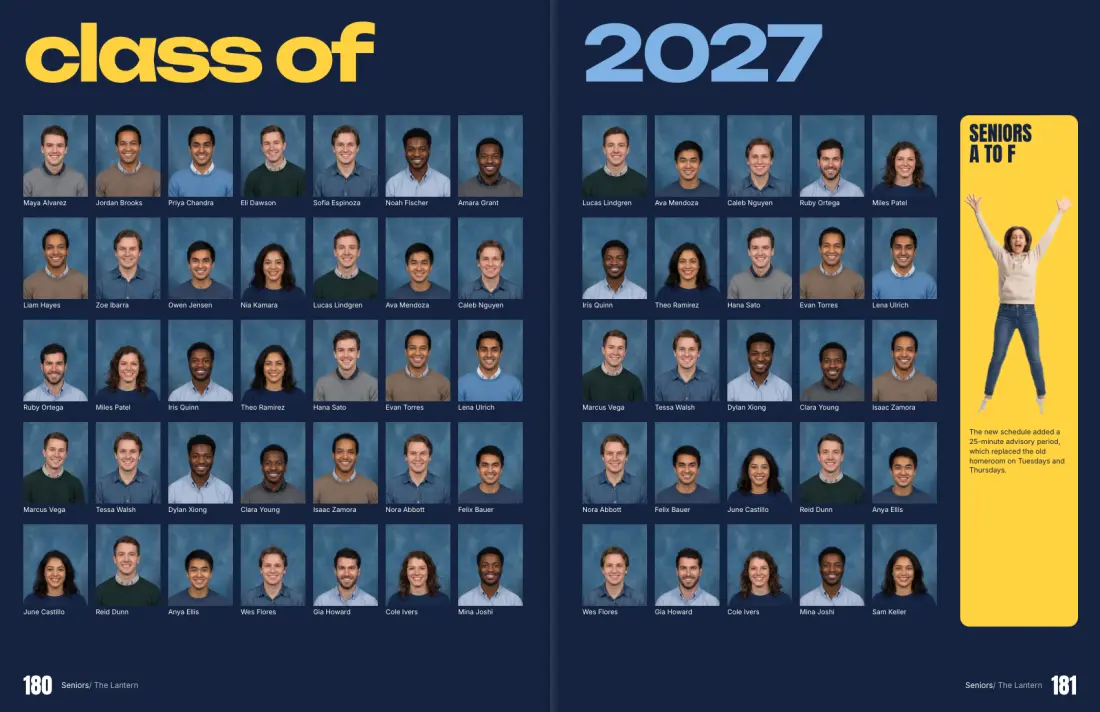
The senior section is the part of the book given to the graduating class: formal portraits first, then spreads about the class as a whole. These 10 layouts are for the staff who build it.
Paid parent ads are a separate thing with a guide of their own. Nothing here supplies a quote or a message: where a layout leaves room for a student's words, that student writes them.
See also: Parent recognition ads: layouts and checks, Fit the section into the page plan, Questions the staff can set.
Start a yearbook
Choose a style, a page count and space for each student. Start the yearbook online.
A paid plan is required to create a yearbook. Printing is a separate order. Plans and prices.
| Layout | Space per student | Collect before you start |
|---|---|---|
| 1. Formal portrait grid | 1/25 of a page | One portrait per senior, with names checked against the school list |
| 2. Portrait plus answer space | 1/8 of a page | The portrait and each student's own written answer |
| 3. Baby photo beside senior photo | 1/12 of a page | One early photo per senior, scanned at 300 pixels per inch |
| 4. Group candids by friend circle | One face in one group photo | A sign-up list of groups of 4 to 8 that covers every senior |
| 5. Superlatives spread | Winners only, one category each | The ballot results and a photo of each winner |
| 6. By the numbers | None: the class as one total | Survey replies, and the number of seniors who answered |
| 7. Timeline, first year to last | None: shared photos by year | 3 or 4 dated photos from each school year |
| 8. Plans-after-school map | One name in a list | Form replies with a place, or a choice to be listed without one |
| 9. Senior activities list | About 1/50 of a page | Each senior's clubs, teams and years, checked by the sponsors |
| 10. Class panorama | One face in one photo | A date, a place with some height, and a name key by row |
Download this table as a spreadsheet (CSV)
Start with the fairness rule
Every senior appears the same number of times in the planned part of the section. Settle the number first, usually one portrait plus one or two other appearances, then pick layouts to match.
Keep a tally sheet with one row per senior, one column per layout and a tick for each appearance. Check it before layout starts and again at proof, when cropped group photos lose people.
Two layouts break the count by design: superlatives and friend groups. Cap each senior at one superlative, and place anyone who has not signed up for a group yourself, from the class list.
Layouts 1 to 3: one box per senior
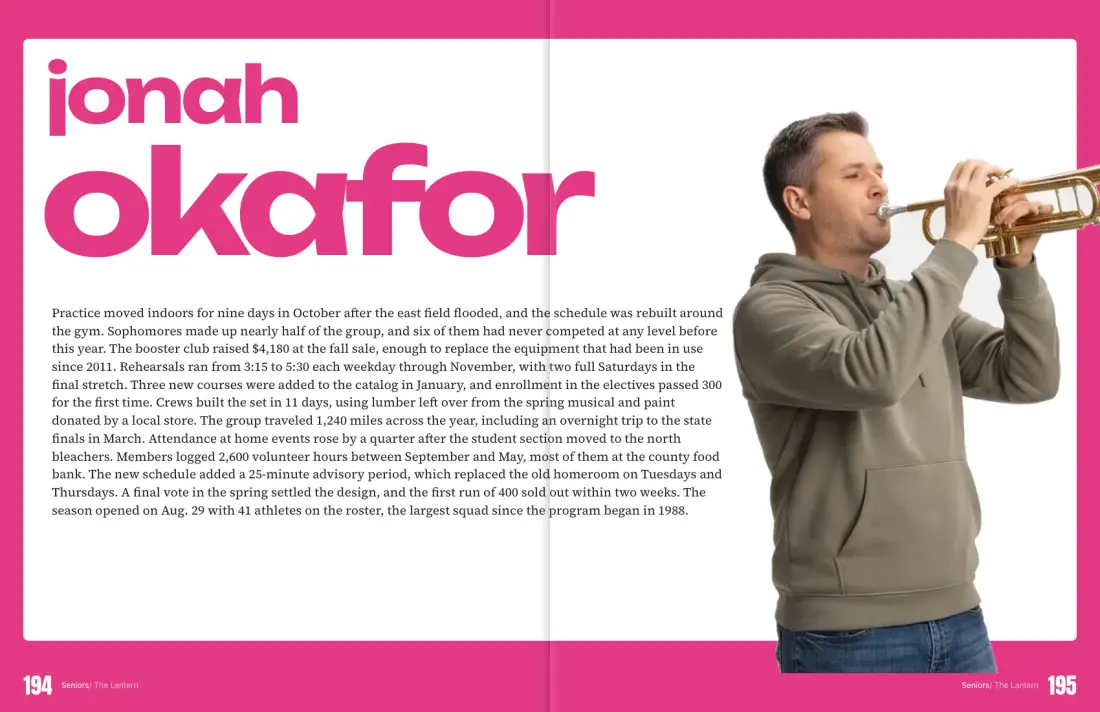
These three give each senior an identical box. The only decision is the size of the box, which sets how many pages the section takes and how much room each student has.
A 5 by 5 grid on a Letter or A4 page gives portraits about 34 mm, or 1.3 inches, wide with the name beneath. Eight to a page leaves room for a portrait and four lines of the student's own answer.
- 1. Formal portrait grid with names: 25 to a page, one crop, names in one type size, in order of last name
- 2. Portrait plus answer space: 8 to a page, each with blank lines for the student's reply to one question the staff set
- 3. Baby photo beside senior photo: 12 to a page, two equal pictures per student, with the name beneath the pair
Layouts 4 to 7: the class in groups
These four cover the class together, so space is counted by the spread and not by the student. Each takes one spread, two facing pages, and a class of more than 200 may need two.
The by-the-numbers spread needs a short survey sent to every senior, with the number of replies printed on the page. Use only counts the class reports about itself, never a staff estimate.
- 4. Group candids by friend circle: seniors sign up in groups of 4 to 8, one photo per group, every senior in exactly one
- 5. Superlatives spread: 8 to 12 categories with one photo each, winners posed the same way against one background
- 6. By the numbers: 8 to 10 large figures about the class, each with a one-line label and a small picture
- 7. Timeline: four columns, one per school year, with 3 or 4 dated photos in each and the first year on the left
Layouts 8 to 10: lists and the whole class
The last three name every senior once in text, or show everybody in one frame. They are the quickest way to restore the count for a student who missed a photo day.
For the panorama, keep faces at least 13 mm, about half an inch, clear of the gutter on both sides. Print a name key by row under the photo or on the page that follows.
Plans change, and some are private. Collect the map entries on a form that lets a senior be listed without a destination, and close the form two weeks before the spread is due.
- 8. Plans-after-school map: a map with numbered pins and a list of names under each place, including an undecided list
- 9. Senior activities list: each name followed by clubs, teams and years, about 50 students to a page in three columns
- 10. Class panorama: one photo of the whole class across a spread, taken from a height, with a name key by row
How many pages the section takes
Do the sum before you promise a layout. For 120 seniors, the 25-up portrait grid takes 5 pages, the 12-up baby photo layout takes 10 and the 8-up answer layout takes 15.
Add one spread for each class layout. A section with the grid, the baby photos, superlatives, the timeline and the panorama comes to 5 plus 10 plus 6 pages. That is 21, so plan for 22.
In a tbf yearbook you choose the space each student gets and 12 to 100 shared pages, and the class spreads come out of the shared pages. The whole book stops at 300 pages including both covers.
Pages to make
Set the count
Decide how many times each senior appears and write it at the top of the tally sheet.
Choose the layouts
Pick one per-student layout and two to four class spreads that fit the page budget.
Collect by form
Send one form for baby photos, activities, plans and survey answers, with one closing date.
Tally at proof
Tick every senior against every layout before the section is approved.
Questions
What goes in the senior section of a yearbook?
Formal portraits of every senior, then spreads about the class: superlatives, a timeline, plans after school, activities and a group photo. Paid parent ads usually sit in a section of their own.
What do you write on a senior yearbook page?
Your own words. This guide covers layouts only. If the staff set a question for the answer space, each senior replies to it, and nobody else writes the reply for them.
Can I make this in tbf scrapbook?
Yes, on a paid plan. Set the number of students, up to 300, and the space each one gets, then use shared pages for the class spreads. You place each portrait and type each name yourself.
Sources
Before you finish
Plan the yearbook pages
Choose the number of students, their space and the shared pages in Studio. The total includes both covers and must be even, up to 300 pages.
A family book can use shared pages without individual student pages. Print limits depend on the binding you choose.