
Yearbook table of contents: 5 layouts that work
List each section with its first page or page range, in book order. Put it on the front endsheet, the title page or pages 2 to 3, and fill in the numbers last from the final ladder.
A paid plan is required to create a yearbook. Printing is a separate order.
A yearbook table of contents is short: five to eight section names and the pages they start on. It is a map of the sections, not a list of every spread.
The design question is how much space it earns. It can be a 2 column strip on the title page or a full spread with a photo for every section.
Five layouts follow, with where each one fits and the point in the schedule at which it is safe to type a page number.
See also: Divider pages, which the contents must match, Yearbook proofreading checklist.
Start a yearbook
Choose a style, a page count and space for each student. Start the yearbook online.
A paid plan is required to create a yearbook. Printing is a separate order. Plans and prices.
| Layout | What it shows | Space it needs | Suits |
|---|---|---|---|
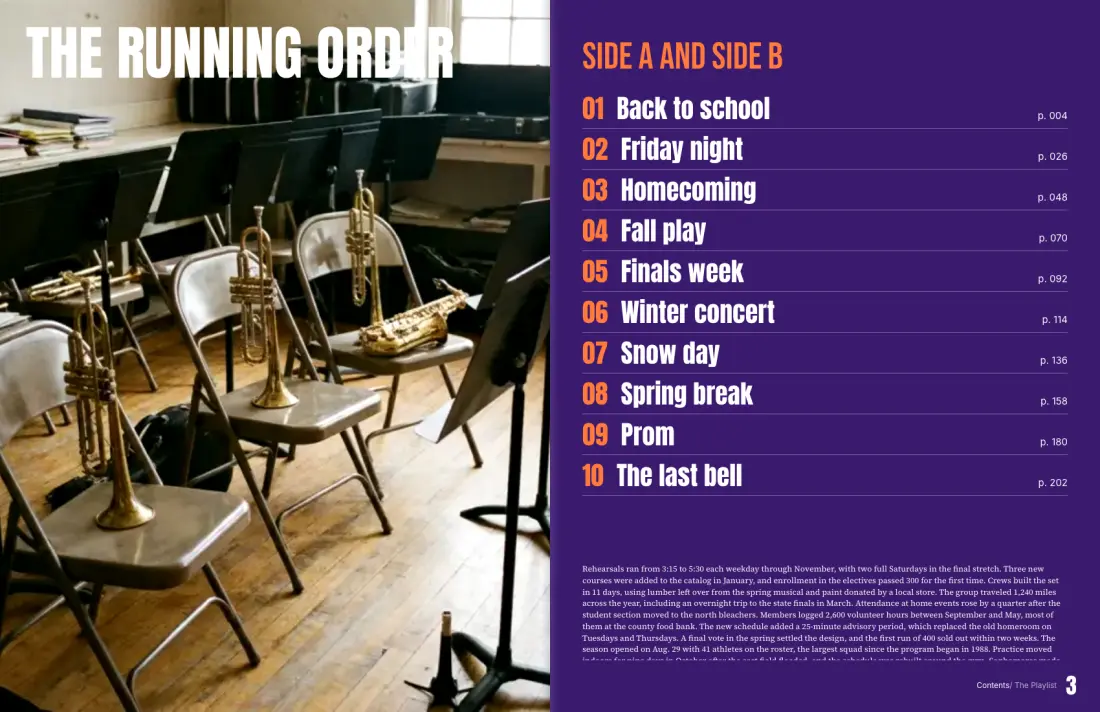
| 1. List with page ranges | Section names in one column, ranges aligned on the right | 2 to 3 columns of one page | Any book; shares the title page or an endsheet |
| 2. Photo strip per section | One wide photo for each section with its name and first page | A full page or a spread | Books with 5 to 7 sections and a strong photo for each |
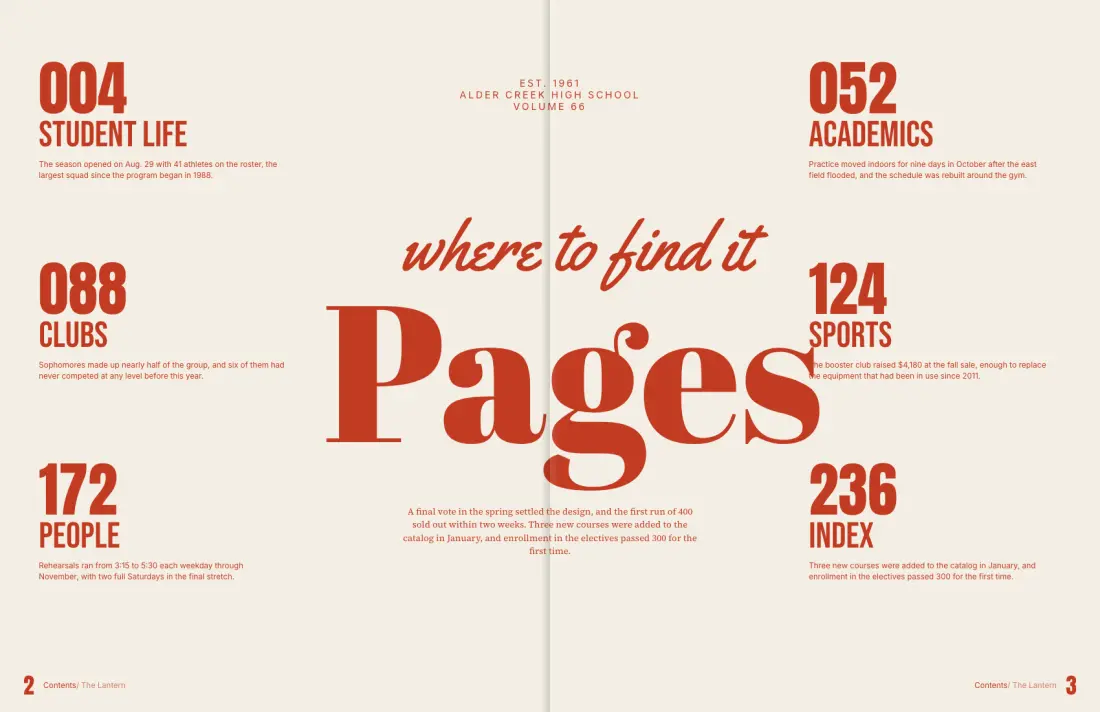
| 3. Numbered blocks | Starting page numbers set very large, names small beside them | Half a page to a full page | Type-led themes with few photos at the front |
| 4. Timeline by month | Months on one line, each with the page range that covers it | A strip across a spread | Books that run in date order with no topic sections |
| 5. Map or icon key | A school plan or a row of icons, each tagged with a page number | A full page or an endsheet | Elementary books and themes built on a place |
Download this table as a spreadsheet (CSV)
What the contents list, and what they leave out
List sections, not spreads: opening, student life, academics, clubs, sports, people, ads, index. Give each its first page, or its range, such as 6 to 41.
Use the section names the dividers use, word for word and in the same order. A reader who sees one name in the contents and another on the divider assumes a mistake.
Names of individual students do not go here. Finding a person is the job of the index at the back, which lists every name with every page it appears on.
The five layouts
All five carry the same facts and differ in how much room and how many pictures they need. Choose by the space you have, then by how the rest of the book looks.
The plain list takes a few columns. The photo strip and the numbered blocks need a full page or a spread. The timeline and the map only suit a book organised that way.
- 1. List with page ranges: section names down one column, ranges aligned on the right
- 2. Photo strip per section: one wide photo for each section with its name and first page on it
- 3. Numbered blocks: each starting page number set very large, the section name small beside it
- 4. Timeline by month: the months along one line, each with the pages that cover it
- 5. Map or icon key: a plan of the school or a row of icons, each tagged with a page number
Where the contents go
There are three usual places: the front endsheet, the title page, and the opening spread on pages 2 and 3. A long book sometimes gives contents a single page after the opening.
The front endsheet is read first and uses no book pages. It is usually due with the cover, well before the last pages are final, so the page numbers must be settled early.
In a book without printed endsheets, which includes one made in tbf scrapbook, the contents go on the first inside pages: beside the title page facts or on page 2.
Fill in the numbers last, from the final ladder
Design the contents early and leave the numbers blank. Type them only when the ladder, the page plan, is frozen and every divider sits on its final page.
Go by the printed folio, not the file. Where software counts the covers as pages, as the tbf scrapbook yearbook total does, the file's page 3 may be the book's page 1.
Repeat the check after any late move. One spread added to student life shifts every section behind it by two pages, and the contents will not tell you so.
Type sizes and spacing
Set section names at 14 to 24 point and page numbers at the same size or larger. Align the numbers on one edge so the eye can run straight down them.
Keep at least 1 pica between entries. If a name and its number end up far apart, narrow the column so they sit closer, and leave the space outside the list.
Pages to make
Fix the section names
Agree the names once and use them on the dividers, the folios and the contents.
Choose layout and place
Pick one of the five, then decide between endsheet, title page and pages 2 to 3.
Design with blank numbers
Lay out names, photos and spacing and leave every page figure empty.
Fill from the frozen ladder
Type the numbers last, then open the book at each one to confirm it.
Questions
Do yearbooks have a table of contents?
Most do. It lists five to eight sections with their starting pages and sits on the front endsheet, the title page or the opening spread.
Where does the table of contents go in a yearbook?
At the front: on the front endsheet, on the title page, or on pages 2 and 3. A long book may give it a single page after the opening.
Can I make this in tbf scrapbook?
Yes, on a paid plan. Build it on one of the first inside pages with your own text and photos, since the book has no printed endsheets. Recheck every number after moving pages.
Sources
Before you finish
Plan the yearbook pages
Choose the number of students, their space and the shared pages in Studio. The total includes both covers and must be even, up to 300 pages.
A family book can use shared pages without individual student pages. Print limits depend on the binding you choose.