
Yearbook collage pages: 6 grids that stay readable
A readable collage follows one grid, keeps 4 mm (1 pica) between photos and allows 30 mm (1.2 in) of width for each face. The six grids here hold 6 to 12 photos on a page or spread.
A paid plan is required to create a yearbook. Printing is a separate order.
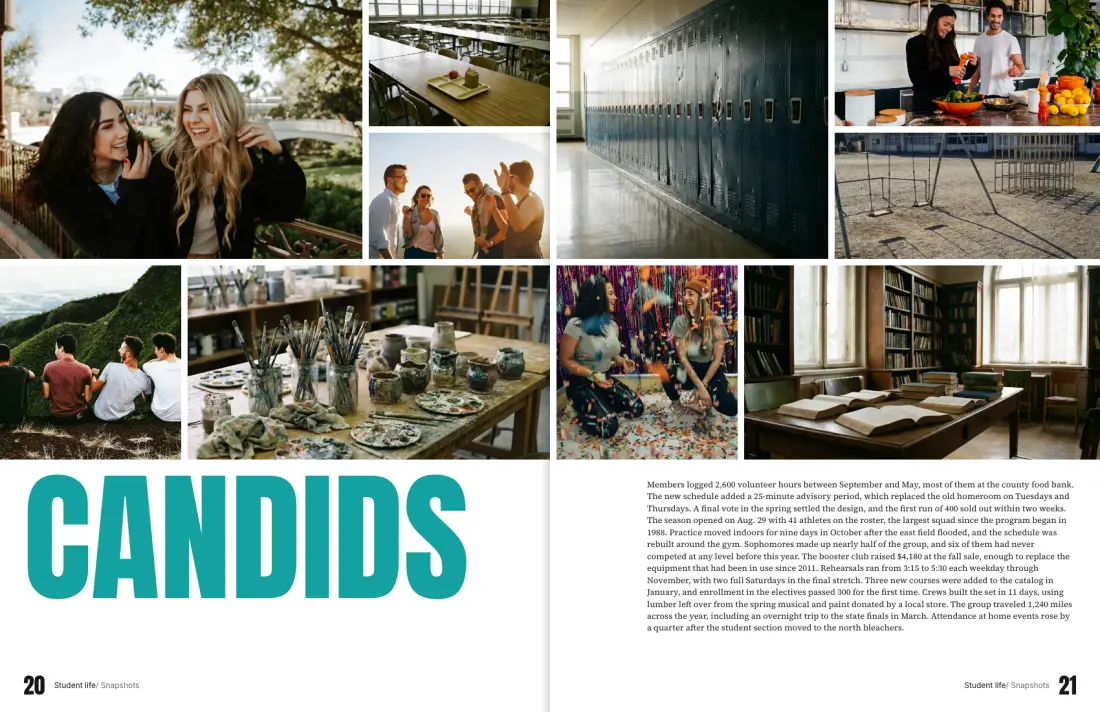
A collage page fits many people into little space, which is why it goes wrong: faces shrink below reading size, gaps drift and nobody can tell which name belongs to whom.
Each of the six grids below fixes the photo count, the smallest photo and the place for names. Sizes assume an 8.5 by 11 inch or A4 page with 13 mm (0.5 in) margins.
See also: Use a small collage as a mod, Check the name lists.
Start a yearbook
Choose a style, a page count and space for each student. Start the yearbook online.
A paid plan is required to create a yearbook. Printing is a separate order. Plans and prices.
| Grid | Photos | Smallest photo | Faces per photo | Names |
|---|---|---|---|---|
| 9-square | 9 on one page | 60 mm (2.4 in) square | 1 or 2 | One block below the grid, row by row from the top left |
| 12-photo mosaic | 12 on a spread: 1 dominant and 11 small | 60 by 45 mm (2.4 by 1.75 in) | 1 or 2; groups go in the dominant | A caption on the dominant, then a clockwise list |
| Strip rows | 12 on one page, in 3 rows of 4 | 43 by 58 mm (1.7 by 2.3 in) | 1 | A 10 mm band under each row, left to right |
| Cluster around a headline | 8 on one page | 60 mm (2.4 in) wide | 1 or 2 | Numbered corners and one numbered list |
| Instant-print rows | 6 on a page, 12 on a spread | 50 mm (2 in) square image | 1 | In the wide lower border of each frame |
| Diagonal cascade | 6 on a spread | 100 by 75 mm (4 by 3 in) | Up to 3 | A block in the empty lower left corner |
Download this table as a spreadsheet (CSV)
Six grids and what each holds
Choose the grid before the photos and let it reject the ones that do not fit. A collage with a rule looks designed; one without looks like a folder emptied onto the page.
Use a collage for coverage and not for the main story of a spread. Candids, spirit days, field trips and club socials suit it; a game or a performance needs a dominant photo.
- 9-square: three rows of three on one page, each photo about 60 mm (2.4 in) square.
- 12-photo mosaic: one dominant photo of about 230 by 150 mm (9 by 6 in) on a spread, with 11 smaller ones around it.
- Strip rows: three rows of four upright frames on one page, each about 43 by 58 mm (1.7 by 2.3 in).
- Cluster around a headline: 8 photos of mixed sizes on one page, set like a pinwheel round a headline block.
- Instant-print rows: two rows of three white-bordered, Polaroid-style frames, each about 58 by 70 mm (2.3 by 2.75 in).
- Diagonal cascade: 6 photos of about 100 by 75 mm (4 by 3 in), stepping from the top left of a spread to the bottom right.
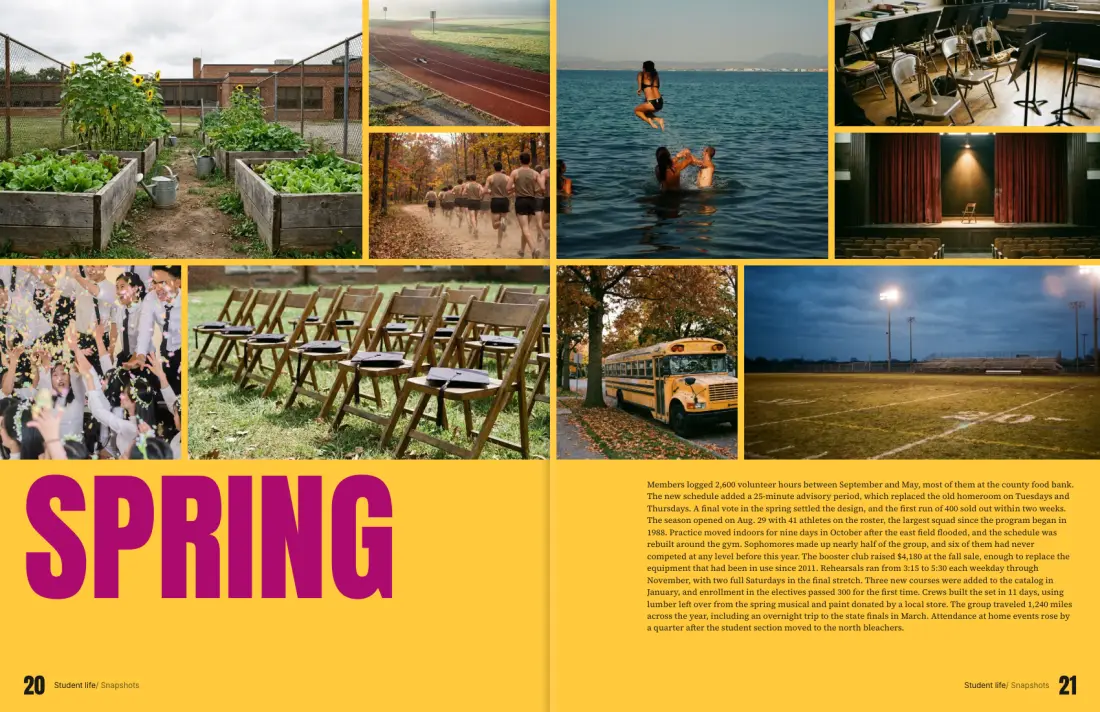
Size each photo by the faces in it
A face in print should be at least 18 mm (0.7 in) wide, about the width of a thumbnail or a US dime. Below that a reader cannot be sure who it is, and the photo is only decoration.
The working rule is 30 mm (1.2 in) of photo width for each face across the widest row. A 60 mm square holds two people; a group of four needs 120 mm or a tighter crop.
Check pixels as well. At 300 pixels per inch a 60 mm photo needs about 710 pixels across and the 230 mm dominant about 2,720, so a heavily cropped phone picture can fall short.
Spacing, bleed and the gutter
Keep one gap everywhere inside the collage: 1 pica, which is about 4 mm or a sixth of an inch. Equal gaps are what make nine unrelated photos read as one block.
Photos that run off the page need 3 mm (0.125 in) of bleed beyond the trim. Photos that stop short should all stop on the same margin, 13 mm (0.5 in) in from the edge.
Only the mosaic and the cascade cross the gutter. Keep every face at least 13 mm (0.5 in) clear of the fold on both sides, and never run a name or a headline across it.
Captions and name lists
A collage rarely has room for a caption under every photo, so use one name block per page. Set it in the caption size, 7 to 9 point, in a column beside or below the grid.
Order the names the way the eye reads the grid: row by row from the top left, or clockwise from the dominant photo. State that order in two or three words at the head of the block.
Small numbers in the photo corners are the fallback when a grid has no clear reading order, as in the cluster. Check every name against the school roll before the page is approved.
Build the page and check coverage
Count who appears before you approve a collage. Many staffs aim to show every student three times, and a collage is the cheapest place to add those who are short.
Mix distances so the page does not flatten: in any nine photos, use roughly three close, four medium and two wide. Crop out empty floor and ceiling before sizing anything.
On tbf scrapbook yearbook pages you add your own photos and type the names; nothing matches names to faces. Treat the sizes here as targets and check them in the editor.
Pages to make
Pick the grid
Match the photo count to the people the page has to cover.
Crop for faces
Allow 30 mm of width per face and reject anything smaller.
Set one gap
Use 4 mm between every photo and one margin all round.
Add and check the names
List them in reading order and check each against the roll.
Questions
How many photos should a yearbook collage page have?
Six to twelve. Twelve upright frames is the most one letter-size page holds before a single face drops below 18 mm (0.7 in) wide.
How do you caption a yearbook collage?
Use one name block per page instead of a caption per photo. List names in the order the grid is read, say what that order is, and number the photos if the order is unclear.
Can I make this in tbf scrapbook?
Yes, on a paid plan. You add photos to editable pages and type the names yourself. Treat the grids as targets and check each one in the editor.
Sources
Before you finish
Plan the yearbook pages
Choose the number of students, their space and the shared pages in Studio. The total includes both covers and must be even, up to 300 pages.
A family book can use shared pages without individual student pages. Print limits depend on the binding you choose.