
Yearbook opening page: 6 ways to start the book
The opening is the first spread after the title page, usually pages 2 and 3. It shows the theme in one large photo and a short statement, and it runs one to three spreads.
A paid plan is required to create a yearbook. Printing is a separate order.
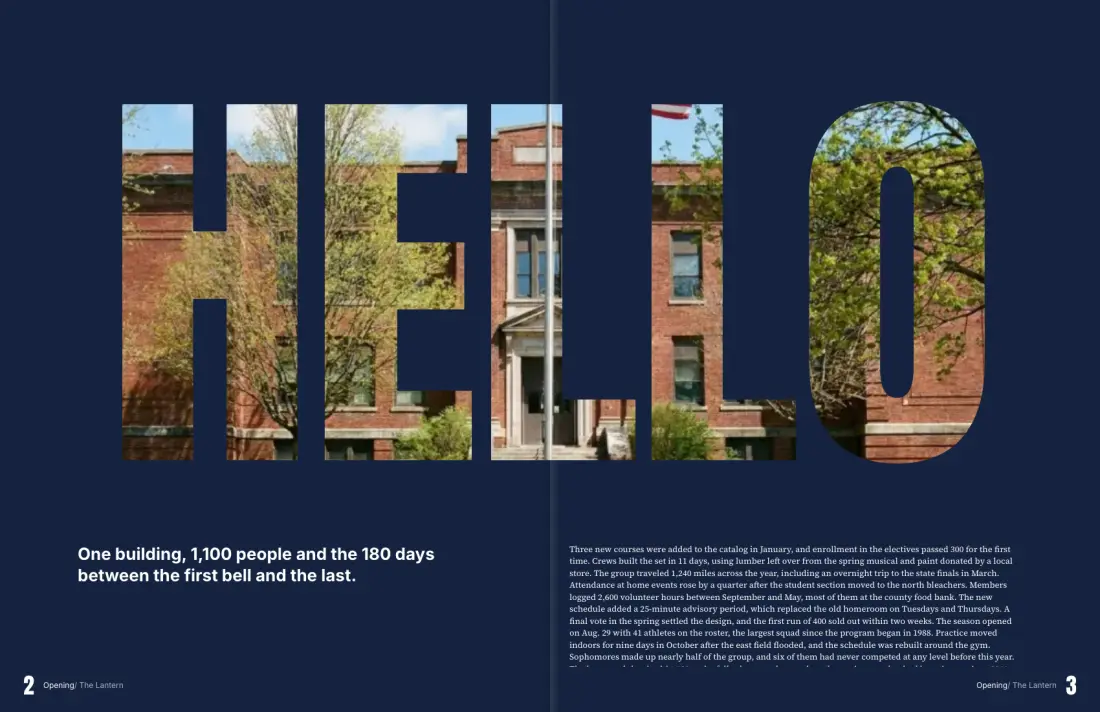
The title page says whose book this is. The opening says what kind of year it was, in one picture and a few lines, before any section begins.
There are six dependable ways to build it. Each is set out below with what goes on the spread, how long it should run and what the closing page does in reply.
See also: Book the opening on the page plan, Decide where the contents go.
Start a yearbook
Choose a style, a page count and space for each student. Start the yearbook online.
A paid plan is required to create a yearbook. Printing is a separate order. Plans and prices.
| Opening | On the spread | Runs | How the closing answers |
|---|---|---|---|
| One dominant photo | A single image across both pages and a statement space about a quarter of a page | 1 spread | The same place in the last week, in the same crop |
| A day in numbers | 6 to 10 counted facts from one school day beside a wide photo | 1 to 2 spreads | The same counts for the whole year |
| First-day sequence | 4 to 6 photos in time order, first arrival to last bell | 1 to 2 spreads | A last-day sequence in the same frames |
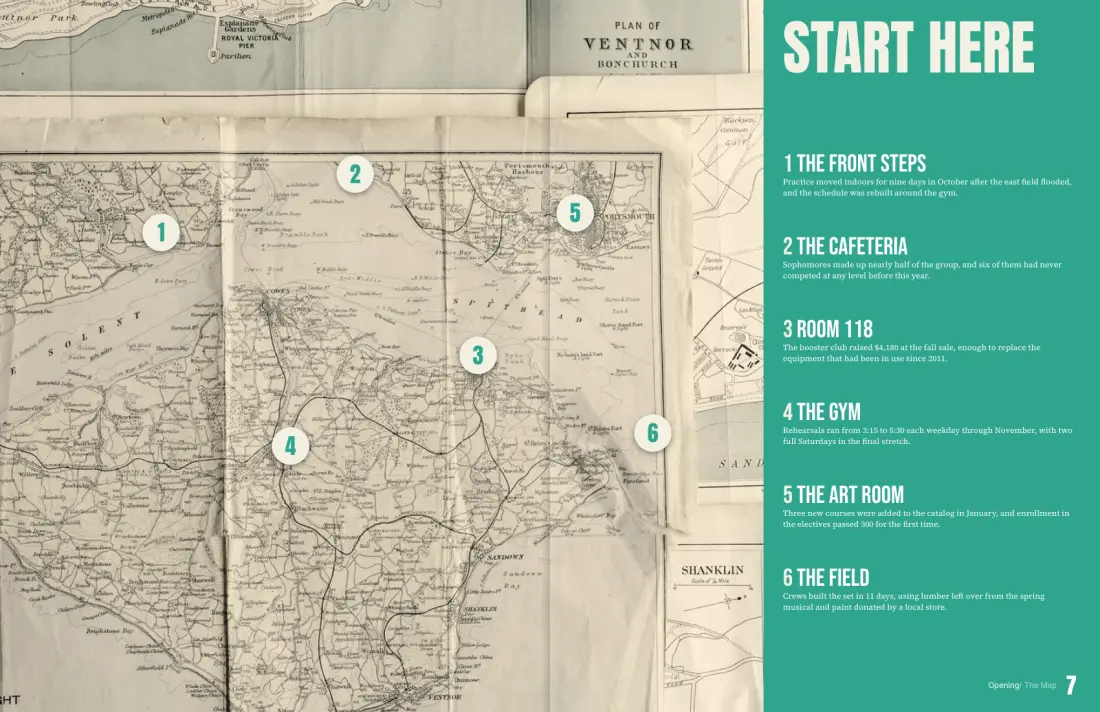
| Map of the place | A drawn plan with 5 to 8 numbered spots that the sections use | 1 spread | The same map with the year's events marked on it |
| Timeline so far | 8 to 12 dated points on one line, with small photos or labels | 2 spreads | The line carried on to the final day |
| A question | One question as the headline, a dominant photo and the statement space | 1 spread | The reply, set in the same place and size |
Download this table as a spreadsheet (CSV)
Where the opening sits and what it does
In most books the title page is page 1, a single right-hand page. The opening starts on pages 2 and 3, the first full spread a reader sees, and comes before the first divider.
Its job is to introduce the theme once, in words and in pictures. The same type, colours and repeated element return on every divider, so the opening is where they are set.
Give it one dominant photo that covers at least half the spread. Small photos belong in the sections; the opening needs a single picture that shows the place and the people.
Six ways to start the book
Pick one of the six and commit to it. An opening that tries a map, a timeline and a numbers block on the same spread reads as a contents page and not as a beginning.
All six leave room for the theme statement, the short block of copy that explains the theme. Mark that space on the layout before you choose the photos.
- One dominant photo: a single image across the spread, with a statement space of about a quarter of one page.
- A day in numbers: 6 to 10 counted facts from one ordinary school day, set large beside a wide photo.
- First-day sequence: 4 to 6 photos in time order, from the first arrival to the last bell.
- Map of the place: a drawn plan of the campus or town, with 5 to 8 numbered spots that the sections return to.
- Timeline of the year so far: 8 to 12 dated points along one line, each with a small photo or a label.
- A question the book answers: one question set large as the headline, with the closing page reserved for the reply.
What the theme statement should cover
The statement is yours to write, and it should be about this year at this school and no other. If it could be printed unchanged in last year's book, it is too general.
Keep it to 60 to 120 words, in type two or three points larger than the body copy. Readers skip a long block on the first spread, and the photo should still hold most of the space.
- Who the book speaks for: the class, the school or the whole town.
- What was different this year: a building, a schedule, a team, a change of staff.
- The theme phrase, used once and explained in plain terms.
- One fact with a number in it that only this year could claim.
- What the reader will find in the sections that follow.
How long the opening runs
One spread is enough for a book under about 100 pages. Two spreads suit a longer book whose theme needs a second picture, and three is the limit before readers want the first section.
Give each spread its own job. The first carries the dominant photo and the statement; a second can hold the numbers, the map or the timeline; a third can list the contents.
Enter the opening on the ladder before anything else, so its pages are not taken by a late section. Two spreads cost four pages, the same as a small club section.
Pair the opening with the closing
The closing is the last spread before the index or colophon, and it should answer the opening. Use the same grid, the same type sizes and the same position for the copy block.
Plan both on the same day. The plainest pair is one place photographed twice: in the first week for the opening and from the same spot in the last week for the closing.
In a tbf scrapbook yearbook the opening and closing come out of the 12 to 100 shared pages you set. You write the statement yourself, and the pages stay editable after setup.
Pages to make
Choose one of the six
Match it to the theme and to the photos you can still take.
Book the pages on the ladder
Reserve one to three spreads straight after the title page.
Shoot the dominant photo
Take it wide, in the first weeks, and note the exact spot for the closing.
Write and place the statement
Keep it to 60 to 120 words and check that it names this year.
Questions
What is the opening in a yearbook?
It is the first spread or spreads after the title page. It introduces the theme with a dominant photo and a short statement, before the first section divider.
How many pages should a yearbook opening have?
Two to six. One spread suits most books under about 100 pages; longer books can use two, and three spreads is the practical limit.
Can I make this in tbf scrapbook?
Yes, on a paid plan. The opening uses some of your 12 to 100 shared pages, in one of eight styles. You write the theme statement; tbf does not write it for you.
Sources
Before you finish
Plan the yearbook pages
Choose the number of students, their space and the shared pages in Studio. The total includes both covers and must be even, up to 300 pages.
A family book can use shared pages without individual student pages. Print limits depend on the binding you choose.