
Yearbook examples: 12 page types in book order
A yearbook runs in a set order: cover, endsheet, title page, opening, contents, dividers, then student life, academics, clubs, sports, portraits and an index or closing.
A paid plan is required to create a yearbook. Printing is a separate order.
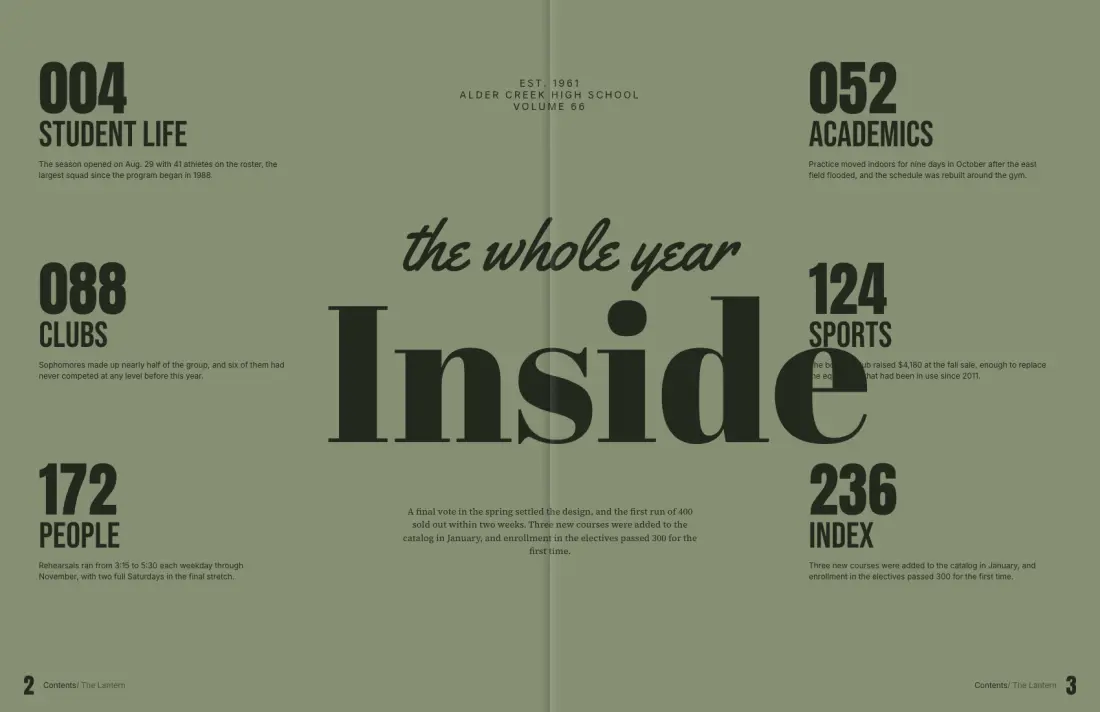
Most yearbooks, from a 40 page elementary book to a 300 page high school one, are built from the same twelve page types. What changes is how many pages each type gets.
The list follows book order, front to back. For each type it gives what the page carries and the one decision you cannot avoid when you make it.
No real school appears here. Each type is described so you can recognise it in any printed yearbook you pick up, then plan your own.
See also: What goes on a yearbook title page, in order, Nine uses for the endsheets, Five contents layouts, Seven ways to open a section, Eight spread grids for the coverage sections, Elementary yearbook ideas with a fair coverage plan.
Start a yearbook
Choose a style, a page count and space for each student. Start the yearbook online.
A paid plan is required to create a yearbook. Printing is a separate order. Plans and prices.
| Page type | What it carries | The decision it forces |
|---|---|---|
| 1. Cover | Book name, year and a theme image; school name and year on the spine | Whether the theme is stated in words or left to the image |
| 2. Endsheet | The heavy sheet inside each cover: contents, a pattern or space to sign | Printed or plain, and one design for both ends or two |
| 3. Title page | Page 1: book name, year, volume, school name, address and enrolment | How much of the page the photo gets against the facts |
| 4. Opening | Pages 2 and 3: one dominant photo and a short block of theme copy | Which single picture stands for the whole year |
| 5. Contents | Section names with their first pages or page ranges | A page of its own, or a share of the endsheet or title page |
| 6. Divider | One photo, the section name and a theme element | Single page or spread, the same choice for every section |
| 7. Student life spread | Events and daily life: a dominant photo, 4 to 6 support photos, a mod | Date order, or grouped by kind of event |
| 8. Academics spread | Work in progress by subject, with captions that name the task | By department, by grade or by project |
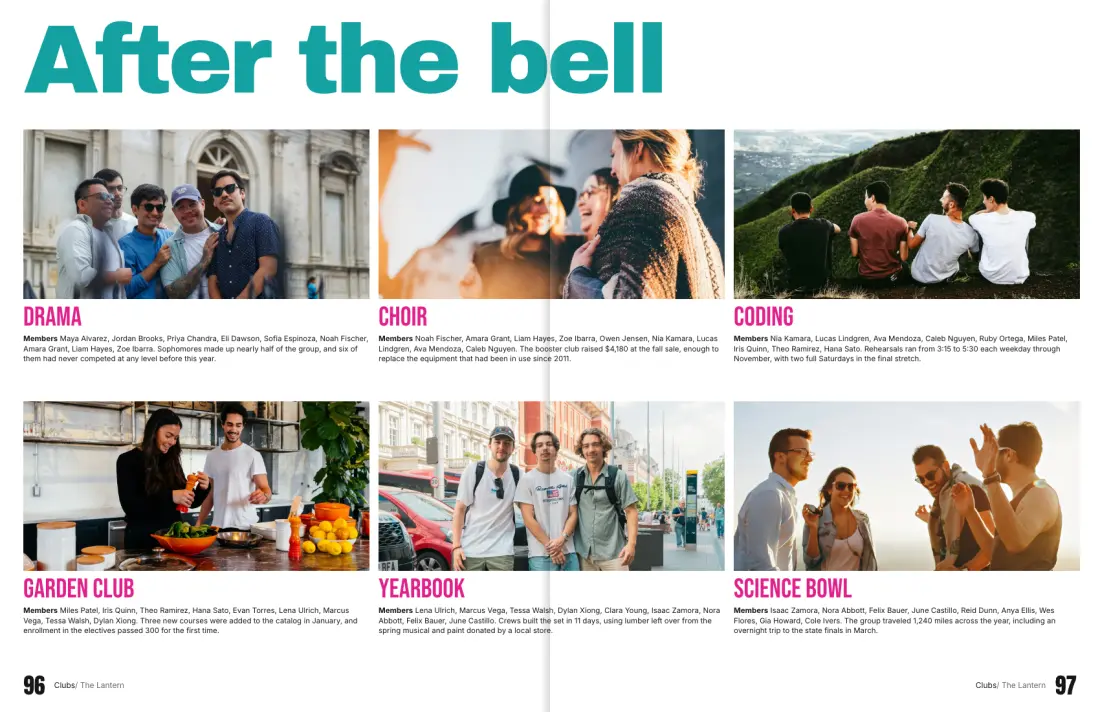
| 9. Clubs spread | A group photo with every name by row, plus the club at its activity | A spread each, or several clubs sharing one |
| 10. Sports spread | Action photos, the team photo and a scoreboard of season results | By season or by sport, and how much space junior teams get |
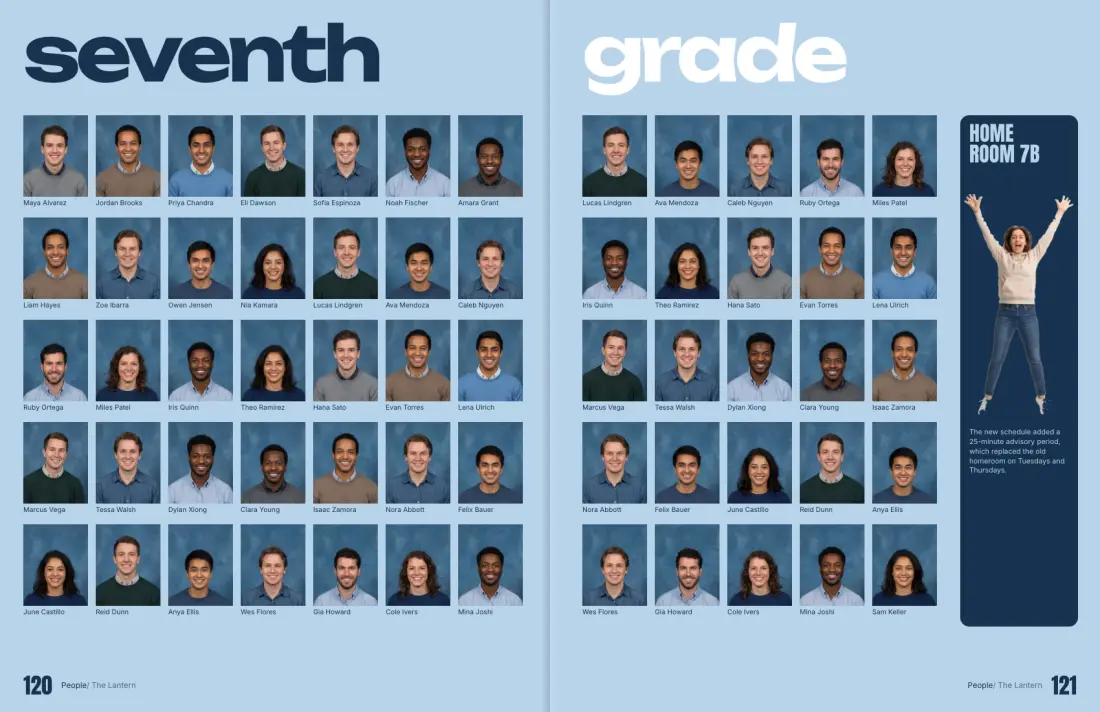
| 11. Portrait pages | Equal head shots in alphabetical order, names at the outer edge | Portrait size, which sets how many fit and how many pages the section takes |
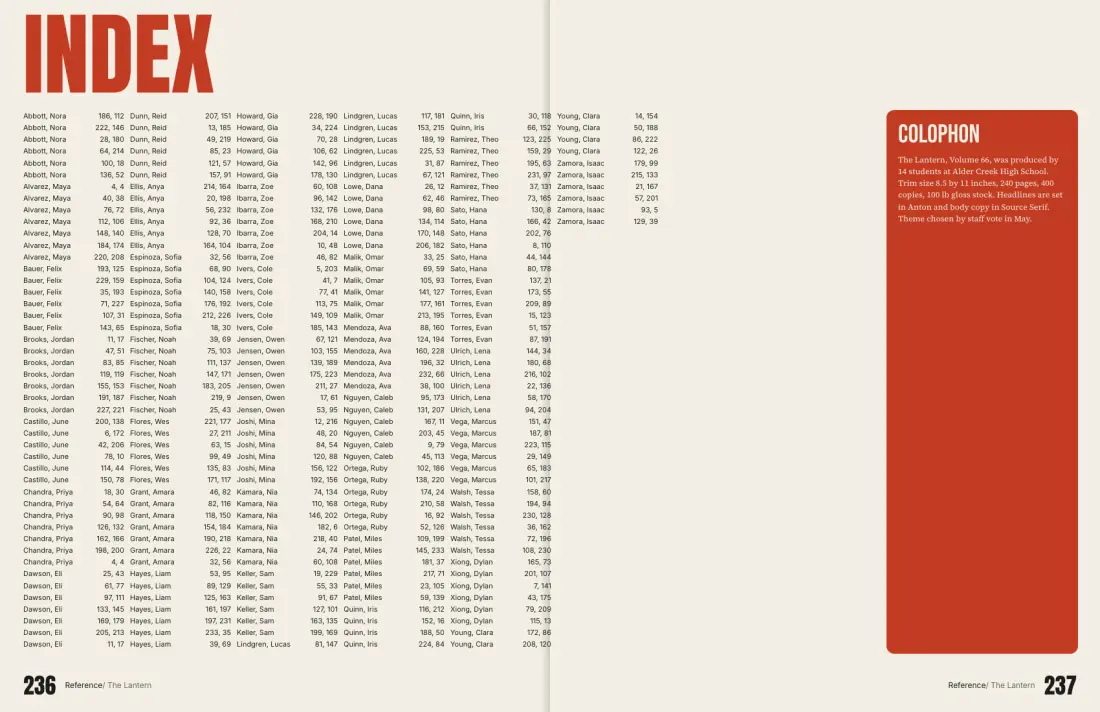
| 12. Index and closing | Every name with its page numbers; a last spread that returns to the theme | Whether a short book needs an index at all |
Download this table as a spreadsheet (CSV)
The front of the book: cover to contents
The cover carries the book name, the year and the theme in one image or mark. The spine repeats the name, the school and the year, and the back cover is usually left quiet.
Open the cover and the endsheet is the heavy sheet glued inside it. Page 1, the first right-hand page, is the title page with the facts: name, volume, school and address.
The opening is the first spread, pages 2 and 3, and introduces the theme with one large photo and a short block of copy. Contents follow it, or sit on the endsheet or title page.
Dividers and the four coverage sections
A divider opens each section with one photo and the section name. A book with five sections has five dividers, all in one format, so the reader knows a new part has begun.
Student life, academics, clubs and sports are the coverage spreads. Each has a dominant photo, four to six support photos, a caption for every picture, a headline and often a mod.
They differ in the picture, not the grid. Student life shows events, academics shows work in progress, clubs show the group doing its activity, and sports adds a scoreboard.
People pages and the back of the book
Portrait pages are grids of equal head shots in alphabetical order by grade or class, with the names in a column at the outer edge. Five across and six down puts 30 on a page.
The index lists every name with every page it appears on, set in three or four narrow columns. The closing is the last spread before the index and returns to the theme of the opening.
Ads, where a book sells them, sit between the portraits and the index. A short book with no ads and no index often ends on pages left open for signatures.
How an elementary yearbook differs
An elementary book keeps the order and drops some types. The usual set is cover, title page, class pages by grade, a few event spreads, staff, and signature pages at the back.
Class pages do the work of both portraits and coverage: the teacher, one group photo, the portrait grid and three or four candids on a spread for each class.
Dividers shrink to single pages or go, and an index is often skipped. Check coverage against each class list instead, so every child appears at least three times in the book.
From twelve types to a page count
Write a page count beside each of the twelve. Fixed pages come first: cover, title page, opening, contents, dividers and closing. Portrait pages follow from the head count.
What is left is coverage, counted in spreads. If your printer builds the book from 16 page signatures, the total must be a multiple of 16, so adjust coverage and not the fixed pages.
In tbf scrapbook's yearbook setup you choose the number of students, the space each gets and 12 to 100 shared pages. The total is even, includes both covers and stops at 300.
Pages to make
List the twelve types
Write each type down in book order and cross out any your book will not have.
Count the fixed pages
Cover, title page, opening, contents, dividers and closing come to a set number.
Size the portraits
Divide the head count by portraits per page and round up to whole pages.
Give the rest to coverage
Split the remaining spreads between student life, academics, clubs and sports.
Questions
What should be included in a yearbook?
A cover, a title page, an opening, contents, a divider for each section, coverage of student life, academics, clubs and sports, portraits of everyone, and an index or closing.
What does an elementary yearbook look like?
Shorter, and built around class pages: a group photo, portraits and a few candids for each class, then event spreads, staff and pages to sign.
Can I make this in tbf scrapbook?
Yes, on a paid plan: one of eight styles, 1 to 300 students, 12 to 100 shared pages and 300 pages at most. There are no separately printed endsheets, and you place every name yourself.
Sources
Before you finish
Plan the yearbook pages
Choose the number of students, their space and the shared pages in Studio. The total includes both covers and must be even, up to 300 pages.
A family book can use shared pages without individual student pages. Print limits depend on the binding you choose.